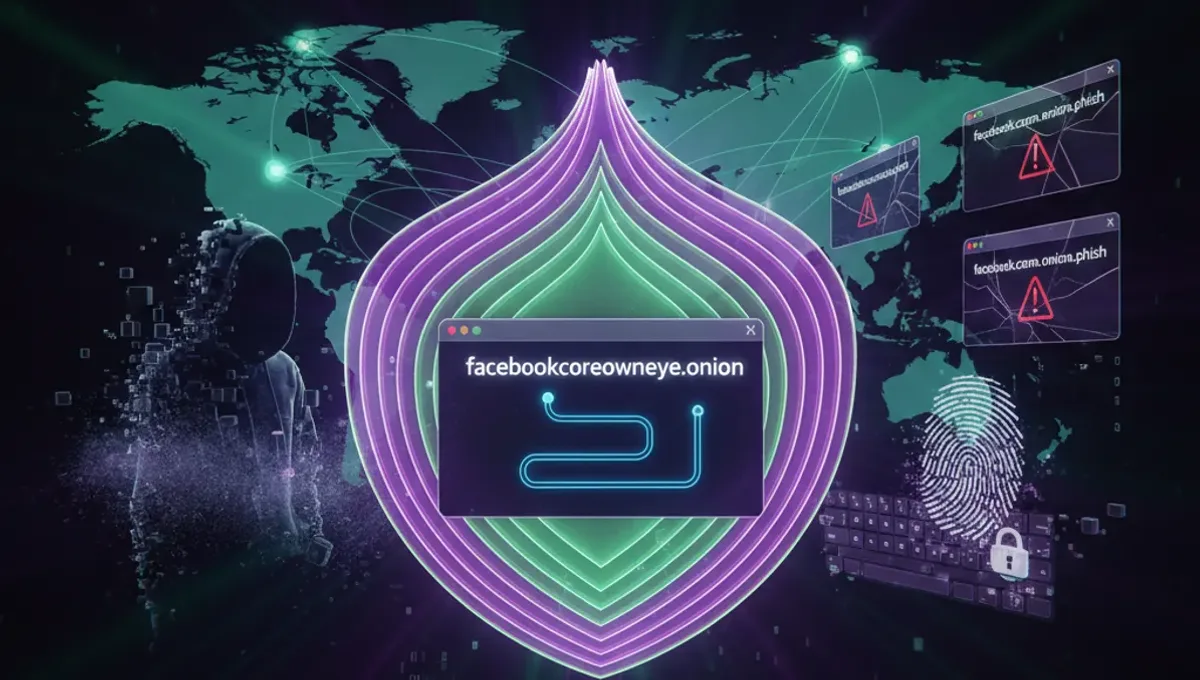
What Is Facebook's Tor Onion Mirror?
Facebook's onion mirror is an official .onion address hosted by Meta that mirrors the standard Facebook website. It exists to provide access to users in countries where Facebook is blocked or censored, and to offer a privacy layer for those who want to use Facebook without exposing their IP address to standard internet infrastructure. The onion mirror runs on the same backend as the regular Facebook site, meaning your account, messages, and data sync across both versions. Unlike third-party proxies or VPN services, the official onion mirror is maintained directly by Meta and does not require you to trust an intermediary. Access through Tor routes your traffic through multiple encrypted relays, making it difficult for network observers to see your connection to Facebook.
How to Verify the Authentic Facebook Onion Address
Phishing clones of popular sites, including Facebook, are common on Tor. To verify the genuine address: First, visit Facebook's official security page or their Tor project announcement through a standard browser before opening Tor. Look for the v3 onion address listed in their official documentation or security resources. V3 addresses are 56 characters long and use the newer, more secure Tor protocol compared to older v2 addresses. Check the SSL certificate when you connect—the browser should show a valid certificate for Facebook. Compare the address character-by-character with the official source; even a single character difference indicates a phishing clone. Bookmark the verified address in your Tor Browser to avoid typing it manually each time. Never rely on search results or third-party directories alone to find the address.
Step-by-Step: Accessing Facebook Safely on Tor
- Download and install Tor Browser from the official Tor Project website on your device.
- Open Tor Browser and wait for it to establish a connection to the Tor network (this may take 30-60 seconds).
- Once connected, navigate to the verified Facebook onion address in the address bar.
- Allow the page to load fully; onion sites may load slower than standard websites due to routing through multiple relays.
- Log in with your existing Facebook credentials or create a new account if needed.
- Enable two-factor authentication in your account settings for additional security.
- Avoid logging into other accounts or services while using the same Tor session to prevent identity correlation.
- Clear your browser cache and cookies regularly, or use Tor Browser's built-in privacy features to do this automatically.
Distinguishing Genuine Onion Mirrors from Phishing Clones
Phishing clones mimic the appearance of legitimate sites but steal credentials or inject malware. Key differences between genuine and fake onion mirrors: Authentic mirrors are hosted by the organization itself and listed in official documentation. Phishing clones often appear in search results or directory listings without verification. Check the domain name carefully—a genuine Facebook onion address will be consistent and use only alphanumeric characters. Fake versions may have slight misspellings or use lookalike characters. Legitimate mirrors have valid SSL certificates issued to the organization; phishing sites may have self-signed or mismatched certificates. The page layout and functionality should match the official Facebook interface exactly. If login fails repeatedly or the site requests unusual information, stop and verify the address again. Use Tor Browser's security level settings to disable JavaScript, which can help prevent some phishing attacks, though this may limit functionality.
Common OpSec Mistakes When Using Tor for Facebook
Several practices compromise anonymity even when using Tor correctly: Logging into Facebook while also logged into other accounts or services allows traffic analysis to correlate your identity. Using the same username or email across multiple platforms makes you identifiable despite Tor encryption. Maximizing your browser window or using custom fonts can allow fingerprinting attacks to identify you. Uploading photos or content that contains metadata (EXIF data) reveals location and device information. Staying logged in for extended periods increases the window for attacks or monitoring. Disabling Tor Browser's privacy protections to access sites faster exposes you to tracking. Mixing Tor and non-Tor traffic in the same session creates correlation opportunities. Use a dedicated Tor session for Facebook, keep your browser window at a standard size, strip metadata from files before uploading, and log out when finished.
Tor, VPN, and I2P: How They Compare for Anonymous Access
Tor, VPN, and I2P are three different approaches to anonymity, each with trade-offs. Tor routes traffic through multiple volunteer-operated relays, making it difficult to trace your connection; it is designed for accessing the public internet anonymously and works well for sites like Facebook. VPNs encrypt your traffic and route it through a single provider's server; they are faster than Tor but require trusting the VPN provider with your traffic. I2P is a network designed for internal communication and peer-to-peer services; it is less suitable for accessing mainstream websites like Facebook. For accessing Facebook on Tor, Tor is the appropriate choice because it provides strong anonymity and the onion mirror is designed for Tor access. VPNs do not provide the same level of anonymity as Tor because a single provider can see your traffic and IP address. I2P is not designed for this use case. If you prioritize speed over anonymity, a VPN may be acceptable, but understand the trade-off.
Troubleshooting Common Issues with Tor Access
If the Facebook onion mirror is not loading: First, verify that Tor Browser is fully connected to the network by checking the connection status in the browser menu. If the connection is unstable, try disconnecting and reconnecting to Tor. If the page loads but appears broken, disable JavaScript in Tor Browser's security settings and reload. Some onion sites require JavaScript; if disabling it breaks the site, re-enable it. If you receive a certificate error, do not proceed—this may indicate a phishing clone or network interference. Clear your browser cache and cookies, then try again. If the site is completely unreachable, check whether Facebook has published a notice about maintenance or changes to the onion address. Use the official Tor Project or Facebook security pages to confirm the address is still active. If you cannot connect to Tor at all, your ISP or network may be blocking Tor; consider using a bridge to connect to the Tor network.
Frequently asked questions
Is Facebook's onion mirror the same as the regular Facebook website?
Yes, the onion mirror is the same service—your account, messages, and data are identical. The difference is the access method. The onion mirror routes your connection through Tor relays, hiding your IP address, while the regular site connects directly. Both versions sync in real time, so changes made on one appear on the other.
How do I know if I am on a fake Facebook onion site?
Check the onion address character-by-character against the official source. Verify the SSL certificate is valid and issued to Meta. Legitimate sites load quickly and match the official interface exactly. If login fails repeatedly, the address looks slightly different, or the certificate shows an error, stop and re-verify the address. Never proceed if something feels off.
Can I use a VPN instead of Tor to access Facebook anonymously?
A VPN encrypts your traffic but routes it through a single provider's server, which can see your IP address and traffic. Tor is stronger for anonymity because it routes through multiple relays. However, a VPN is faster and may be acceptable if you prioritize speed. Understand that a VPN provider can log your activity, while Tor's decentralized design makes this harder.
What should I do if the Facebook onion mirror is not loading?
First, verify Tor Browser is fully connected. Try disconnecting and reconnecting to Tor. Clear your browser cache and cookies. If the page loads but appears broken, try disabling JavaScript in security settings. If you receive a certificate error, do not proceed—this may indicate a phishing site. Check official sources to confirm the address is still active.
Is it legal to access Facebook through Tor?
Yes, using Tor to access Facebook is legal in most countries. Facebook provides the onion mirror specifically to allow access in censored regions and to offer privacy to users. However, your local laws may restrict Tor use or Facebook access; check your jurisdiction's regulations. Using Tor itself is legal in most places, but some countries restrict it.