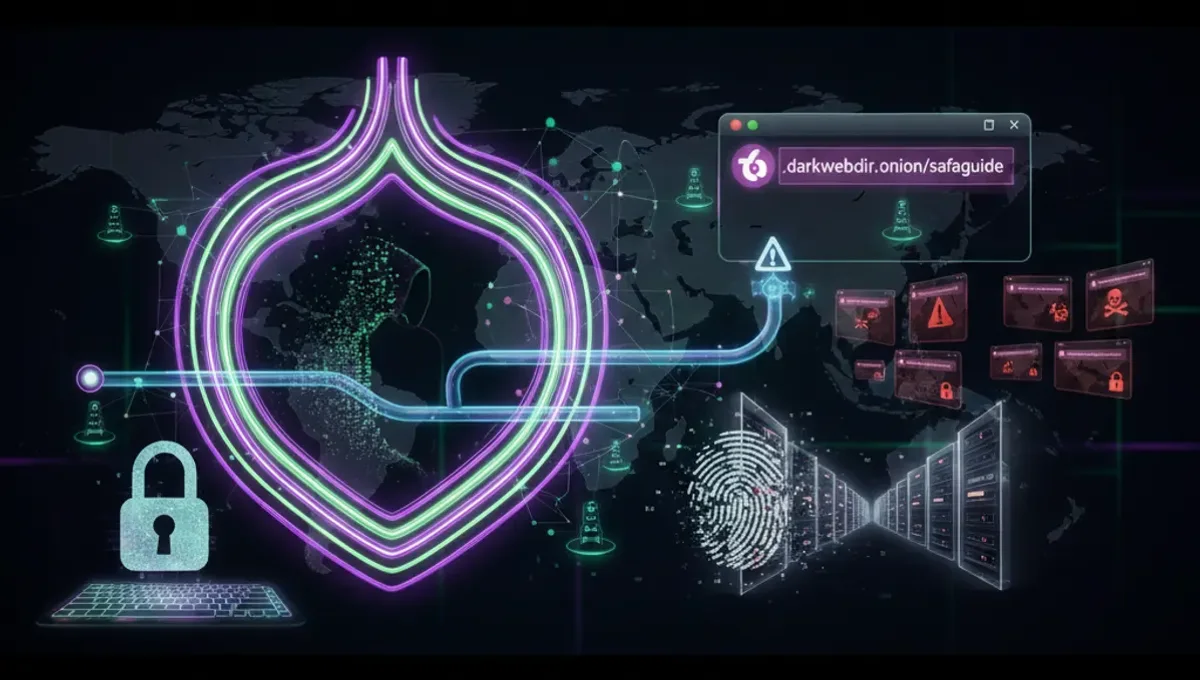
What Are Dark Web Websites on Tor?
Dark web websites on Tor operate on the onion routing network, where traffic is encrypted and relayed through multiple nodes to mask user location and identity. Unlike the surface web, these sites use .onion addresses—alphanumeric strings ending in .onion—that are not indexed by standard search engines. Best dark web websites on Tor include privacy-focused communication services, news outlets with onion mirrors, whistleblowing platforms, and discussion forums. The Tor Project's official documentation describes onion services as hidden services that do not reveal the server's IP address to visitors. Access requires the Tor browser, which routes your connection through the Tor network. Each .onion address is cryptographically generated, making it difficult to forge, though phishing clones remain a persistent threat.
How Onion Addresses and Tor Routing Work
Onion routing encrypts your traffic in multiple layers, with each Tor relay removing one layer of encryption before passing the data to the next node. When you connect to a dark web site on Tor, your request travels through at least three relays—entry, middle, and exit—before reaching the destination. V3 onion addresses, introduced in 2017, are 56 characters long and use stronger cryptography than older v2 addresses. The Tor network generates these addresses from the server's public key, making them permanent and verifiable. Official Tor Project documentation explains that onion services can operate as hidden services, meaning the server's location remains concealed from visitors. This architecture protects both user privacy and server anonymity. However, the routing process does not prevent malicious actors from registering similar-looking addresses or creating phishing mirrors of legitimate dark web sites on Tor.
How to Verify Genuine Onion Addresses and Detect Phishing Clones
Phishing clones are fraudulent copies of legitimate onion sites designed to steal credentials or funds. Verification requires cross-referencing addresses across multiple trusted sources. Steps to verify a genuine onion address:
- Check the official website or social media of the service for the correct .onion link;
- Compare the full address character-by-character, as phishing clones often use similar but slightly different strings;
- Look for PGP signatures or cryptographic proofs published by the service operators;
- Use onion address directories that maintain verified links with checksums. Best dark web websites on Tor publish their addresses on multiple platforms to reduce the risk of users landing on clones. V3 addresses are more resistant to impersonation than v2 addresses due to stronger cryptography. Never assume an address is legitimate based on appearance alone. If a site requests unusual verification steps or asks you to re-enter credentials, close the connection immediately.
Common Mistakes That Compromise Anonymity on Tor
Using Tor does not guarantee anonymity if operational security (OpSec) is poor. Common mistakes include: resizing the Tor browser window, which allows fingerprinting based on screen dimensions; enabling plugins or extensions that bypass Tor; using the same username across multiple sites, linking your identity; maximizing the browser window, making you identifiable among other Tor users; visiting sites that require personal information without considering the consequences; and mixing Tor and non-Tor traffic by visiting clearnet sites while logged into personal accounts. The Tor Project's security documentation warns that browser plugins can leak your real IP address. Disabling JavaScript in the Tor browser settings reduces the risk of code-based deanonymization. Never assume that accessing dark web websites on Tor makes you invisible if you provide identifying information voluntarily. Tor protects your connection, not your behavior.
Comparing Tor, VPN, and I2P for Darknet Access
Tor, VPN, and I2P are three distinct privacy technologies with different strengths. Tor routes traffic through multiple relays operated by volunteers, providing strong anonymity but slower speeds. VPNs encrypt traffic through a single provider's server, offering faster speeds but requiring trust in the provider. I2P is a decentralized network designed for internal communication, with shorter latency than Tor but smaller user base. For accessing dark web websites on Tor, the Tor browser is the standard because onion services are designed specifically for the Tor network. VPNs do not provide access to .onion addresses and may actually reduce anonymity if used with Tor (a configuration called Tor-over-VPN). I2P has its own hidden services but operates independently from Tor. Each technology has different threat models: Tor protects against network-level surveillance, VPNs protect against ISP monitoring, and I2P protects against traffic analysis within the I2P network. Choosing between them depends on your specific privacy goals.
Best Practices for Safely Browsing Dark Web Sites on Tor
Safe browsing of dark web websites on Tor requires deliberate precautions.
- Keep the Tor browser updated to the latest version, as security patches address known vulnerabilities.
- Disable JavaScript in Tor browser settings to prevent code-based attacks.
- Use a dedicated device or virtual machine for Tor browsing to isolate it from your regular computing environment.
- Never maximize the browser window or change its default size.
- Assume all sites may be malicious; verify addresses before entering credentials.
- Use PGP encryption for sensitive communications on onion forums.
- Avoid downloading files unless absolutely necessary, and scan them with antivirus software.
- Do not enable plugins or extensions.
- Disconnect from Tor between sessions to avoid correlation attacks. The Tor Project's official security guide emphasizes that Tor is a tool, not a guarantee. Your behavior determines your safety more than the technology itself.
Finding Verified Dark Web Websites and Onion Directories
Locating best dark web websites on Tor requires using onion directories and verified link collections. Official onion mirrors of mainstream services are published on their clearnet websites. Specialized onion directories maintain curated lists of verified addresses with checksums and descriptions. These directories are updated regularly to remove phishing clones and dead links. Some directories publish their data in multiple formats for verification. When searching for specific services, cross-reference multiple directories and official announcements. News organizations, privacy advocates, and whistleblowing platforms maintain official onion mirrors to ensure access in regions where the clearnet site is blocked. For marketplace-related inquiries, refer to the Verified Marketplaces page on this site for current information. Always verify addresses independently before visiting any dark web site on Tor. No single directory is authoritative; redundancy is your protection against misinformation.
Frequently asked questions
What is the difference between a v2 and v3 onion address?
V2 addresses are 16 characters long and use older cryptography; v2 support was deprecated in Tor 0.4.6. V3 addresses are 56 characters long and use stronger encryption, making them resistant to impersonation attacks. The Tor Project recommends v3 addresses for all new onion services. V3 addresses are the standard for best dark web websites on Tor today.
Can I access dark web websites on Tor without the Tor browser?
No. Onion addresses are only routable through the Tor network. While some VPNs or proxies claim to provide onion access, they do not actually connect to the Tor network and cannot reach .onion sites. The Tor browser is the only reliable method to access dark web websites on Tor. Using other tools may expose your real IP address.
How do I know if a dark web site on Tor is a phishing clone?
Phishing clones often have slightly altered addresses, poor design, or unusual requests for information. Verify the address character-by-character against official sources. Check for PGP signatures or cryptographic proofs. If the site requests credentials or payment without clear reason, close the connection. Legitimate dark web websites on Tor publish their addresses on multiple verified platforms.
Does using Tor make me anonymous automatically?
No. Tor encrypts your connection and masks your IP address, but anonymity depends on your behavior. Providing personal information, using the same username across sites, or maximizing your browser window can compromise anonymity. The Tor Project emphasizes that Tor is a tool; your operational security practices determine your actual privacy level.
What should I do if I accidentally visit a phishing clone of a dark web site on Tor?
Close the connection immediately and do not enter any credentials or personal information. Clear your Tor browser cache. Verify the correct address using multiple trusted sources before visiting again. If you entered credentials, assume they are compromised and change them on the legitimate site using a different Tor circuit.